Kickz YouTube Channel Profile Picture

Kickz's Rust Settings & PC Setup

View Creator Profile
Kickz plays at 800 DPI and 0.25 sensitivity (eDPI 200) with a 90 FOV at 1920×1080 on a 240 Hz monitor, and turns Rust's crosshair off in favour of an overlay. His settings below come from his chat commands and the settings video he posted in May 2025, and his PC is built around a Ryzen 9 9900X3D and an RTX 4070 Ti SUPER.

In-Game Settings

Mouse DPI
800
Sensitivity
0.25 · 1 ADS
Field of View
90
Resolution
1920 × 1080
Aspect Ratio
16:9
Refresh Rate
240 Hz
eDPI (DPI × sens)
200

Plays with the in-game crosshair off and uses a crosshair overlay (CrosshairX or HudSight, per his !crosshair command). His two sens commands differ: !sensitivity says 0.25, !sens says 0.215.

Settings last verified
Compare with other creators' settings

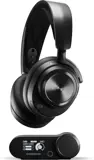
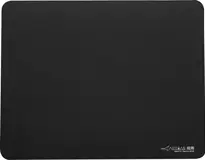
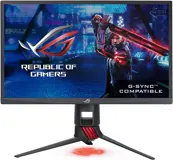
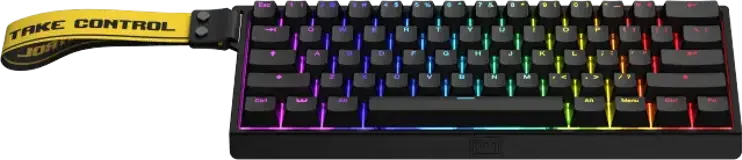
Kickz's Peripherals

We may earn a commission when you buy through links on this page, at no extra cost to you.
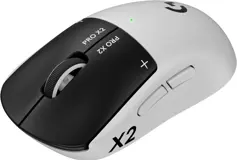
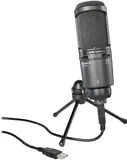
Kickz's Streaming Gear
Kickz's Full Rust Settings

Screen

Kickz's Rust screen settings
Resolution1920 x 1080
Screen ModeFullscreen
VsyncOff
FPS LimitUnlimited
Limit FPS In BackgroundOff
Limit FPS In MenuOff

Graphics - Rendering

Kickz's Rust graphics - rendering settings
Render Scale1.0
Nvidia DLSSOff
Nvidia DLAAOff
Global RenderingOff
Global Render Distance1000
Shader Level100
Nvidia ReflexOn + Boost
Nvidia Reflex Latency MarkerOff
Soft ParticlesOff
Pixel Light Count3
Particle Raycast Budget256
Lod Bias1.00

Graphics - World

Kickz's Rust graphics - world settings
Draw Distance2500
Water Quality1
Water Reflections0
Grass DisplacementOn
Grass ShadowsOff
Precise Terrain BillboardsOff

Graphics - Textures

Kickz's Rust graphics - textures settings
Texture QualityHalf Resolution
Anisotropic Filtering ModePer Texture
Anisotropic Filtering Level4
Parallax Mapping0

Graphics - Shadows

Kickz's Rust graphics - shadows settings
Shadow Quality3
Shadowmask ModeDistance Shadowmask
Shadow ResolutionMedium
Shadow CascadesNone
Shadow Max Distance Percentage50
Max Shadow Lights0

Graphics - Mesh Quality

Kickz's Rust graphics - mesh quality settings
Particle Quality0
Object Quality0
Tree Quality107
Max Tree Meshes10
Terrain Quality0
Grass Quality0
Decor Quality0

Gameplay

Kickz's Rust gameplay settings
Head BobOff
CrosshairOff
Hit CrossOn
Hurt FlashOff
Compass VisibilityOn
FPS CounterOff

User Interface

Kickz's Rust user interface settings
User Interface Scale0.9

Controls

Kickz's Rust controls settings
ADS ModeHold
Duck ModeHold
Always SprintOff

Kickz's PC Build

Kickz's PC components
CPUAMD Ryzen 9 9900X3D
GPUNVIDIA GeForce RTX 4070 Ti SUPER
RAM48GB DDR5 7200 MHz (running at 6000 MHz)
MotherboardASUS TUF Gaming B650M

Sources

Where Kickz's settings and setup on this page come from:


Setup last verified Nov 2026. As an Amazon Associate, Rustubers earns from qualifying purchases.